# A Dashboard setup for video cameras
**URL:** https://discourse.nodered.org/t/a-dashboard-setup-for-video-cameras/12165
**Category:** Share Your Projects
**Created:** [13 June 2019 06:49 UTC](https://discourse.nodered.org/t/a-dashboard-setup-for-video-cameras/12165 "2019-06-13T06:49:44Z")
**Posts on this page:** 20
**Page:** 2
### Author:  [@bakman2](https://discourse.nodered.org/u/bakman2)
#### Post date: [31 July 2019 21:01 UTC](https://discourse.nodered.org/t/a-dashboard-setup-for-video-cameras/12165/21 "2019-07-31T21:01:09Z")
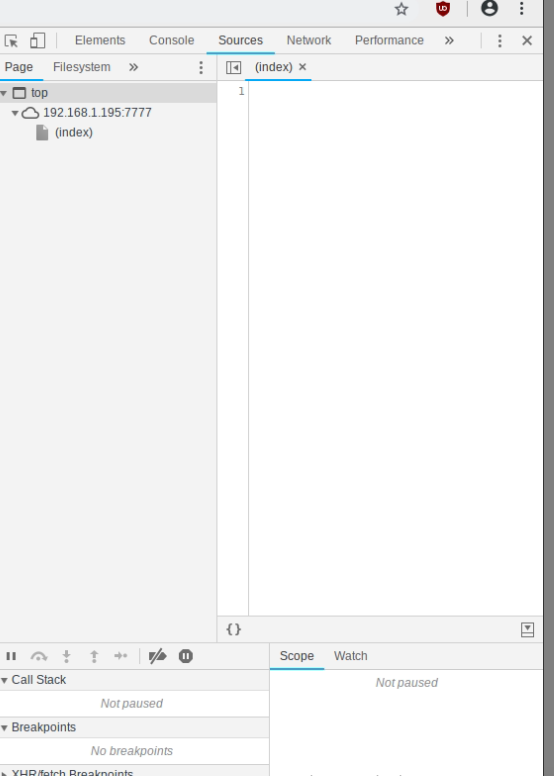
You are using a `![]() ` is it an image ?
Did you try right mouse button \> inspect element, check the console, the sources. Can it load it ?
---
` is it an image ?
Did you try right mouse button \> inspect element, check the console, the sources. Can it load it ?
---
### Author:  [@GChapo](https://discourse.nodered.org/u/GChapo)
#### Post date: [31 July 2019 21:09 UTC](https://discourse.nodered.org/t/a-dashboard-setup-for-video-cameras/12165/22 "2019-07-31T21:09:50Z")
I'm not sure what I'm looking for here?
---
### Author:  [@bakman2](https://discourse.nodered.org/u/bakman2)
#### Post date: [31 July 2019 21:21 UTC](https://discourse.nodered.org/t/a-dashboard-setup-for-video-cameras/12165/23 "2019-07-31T21:21:58Z")
Perhaps take some initiative ?
On which page are you doing this ? The `http://192.168.1.195:7777/` or on the dashboard ?
Start with the source, you need to determine what kind of data is shown.
Open the network tab and refresh the page, you will see the file it is streaming.
---
### Author:  [@GChapo](https://discourse.nodered.org/u/GChapo)
#### Post date: [31 July 2019 21:31 UTC](https://discourse.nodered.org/t/a-dashboard-setup-for-video-cameras/12165/24 "2019-07-31T21:31:18Z")
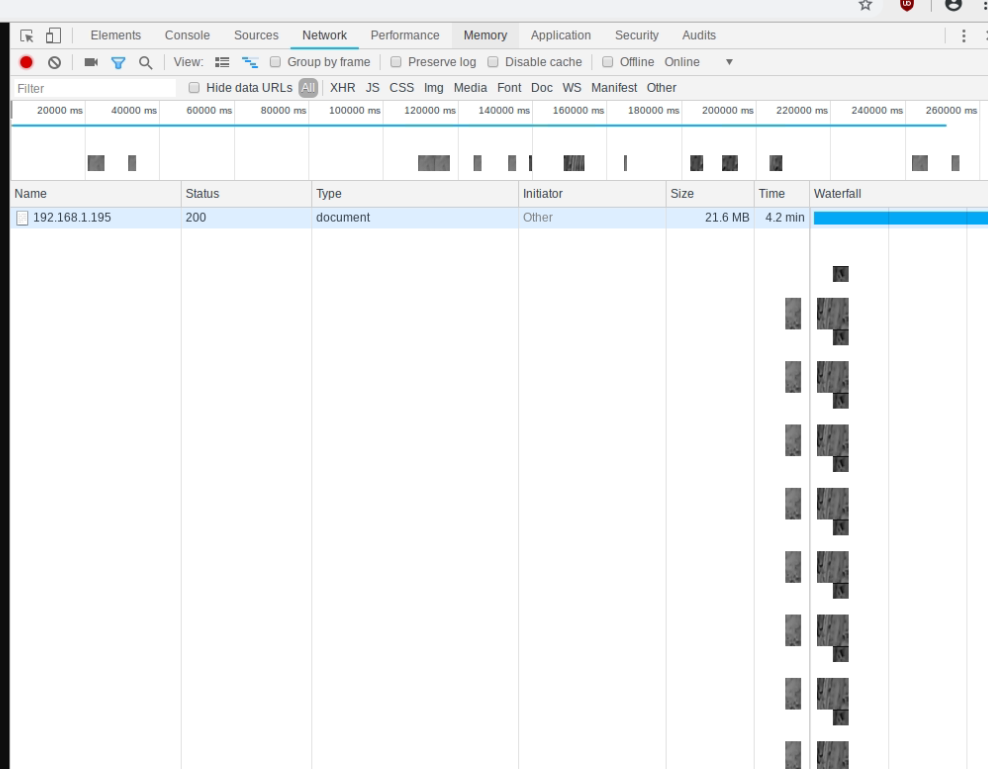
---
### Author:  [@bakman2](https://discourse.nodered.org/u/bakman2)
#### Post date: [31 July 2019 21:36 UTC](https://discourse.nodered.org/t/a-dashboard-setup-for-video-cameras/12165/25 "2019-07-31T21:36:54Z")
click on it.
click sources
Look for a filename, somewhere.
---
### Author:  [@GChapo](https://discourse.nodered.org/u/GChapo)
#### Post date: [31 July 2019 21:42 UTC](https://discourse.nodered.org/t/a-dashboard-setup-for-video-cameras/12165/26 "2019-07-31T21:42:59Z")

---
### Author:  [@krambriw](https://discourse.nodered.org/u/krambriw)
#### Post date: [1 August 2019 03:57 UTC](https://discourse.nodered.org/t/a-dashboard-setup-for-video-cameras/12165/27 "2019-08-01T03:57:21Z")
Next, do the same inspection but now with the dashboard page that is not working
---
### Author:  [@GChapo](https://discourse.nodered.org/u/GChapo)
#### Post date: [1 August 2019 08:48 UTC](https://discourse.nodered.org/t/a-dashboard-setup-for-video-cameras/12165/28 "2019-08-01T08:48:13Z")
Thank you all so much for your assistance.
I think it's a remote access port forwarding issue!
When I go on the dashboard locally the video works. When remotely the image is lost.
I take it your video is only served locally?
---
### Author:  [@krambriw](https://discourse.nodered.org/u/krambriw)
#### Post date: [1 August 2019 09:06 UTC](https://discourse.nodered.org/t/a-dashboard-setup-for-video-cameras/12165/29 "2019-08-01T09:06:59Z")
You should have mentioned this earlier...
"I take it your video is only served locally?"
Of course it is as standard. To have access to your dashboard "from outside" you need to implement a secure way to reach it from/via internet
I personally use a VPN solution but that is another topic
---
### Author:  [@GChapo](https://discourse.nodered.org/u/GChapo)
#### Post date: [1 August 2019 09:45 UTC](https://discourse.nodered.org/t/a-dashboard-setup-for-video-cameras/12165/30 "2019-08-01T09:45:16Z")
I would be interested to know your VPN solution. I use Serveo which has its downfall at times
---
### Author:  [@krambriw](https://discourse.nodered.org/u/krambriw)
#### Post date: [1 August 2019 10:01 UTC](https://discourse.nodered.org/t/a-dashboard-setup-for-video-cameras/12165/31 "2019-08-01T10:01:35Z")
It is not related to Node-RED, it is a typical Raspberry Linux setup. I used this guide, many steps but simple to do
> **[Building A Raspberry Pi VPN Part One: How And Why To Build A Server - ReadWrite](https://readwrite.com/2014/04/10/raspberry-pi-vpn-tutorial-server-secure-web-browsing/)**
>
> Trust no one and build a server that encrypts your Web data from prying eyes.
---
### Author:  [@krambriw](https://discourse.nodered.org/u/krambriw)
#### Post date: [1 August 2019 11:24 UTC](https://discourse.nodered.org/t/a-dashboard-setup-for-video-cameras/12165/32 "2019-08-01T11:24:47Z")
And here is @Colin 's excellent guide
[http://blog.clanlaw.org.uk/2016/07/30/A-complete-vpn-server-for-under-20-ukp.html](http://blog.clanlaw.org.uk/2016/07/30/A-complete-vpn-server-for-under-20-ukp.html)
---
### Author:  [@fedex03](https://discourse.nodered.org/u/fedex03)
#### Post date: [6 August 2019 16:25 UTC](https://discourse.nodered.org/t/a-dashboard-setup-for-video-cameras/12165/33 "2019-08-06T16:25:47Z")
Hi there,
@krambriw thank yuo for sharing your camera dashboard.
I did the same thing as you and everythings works well, but I have delay in the video.
In fact my camera add the timestamp on the video end I noticed that if I open the RTSP straming with videolan I see the real time streaming, but I see the video into the dashboard (the video streaming provided by motion) there is a delay of 2 minutes.
I see the same delay if I open the motion streaming in my web browser.
Is there some special setting for motion that I should use?
I use a Raspberry Pi3B+.
Thanks again to share your project!
Federico
---
### Author:  [@krambriw](https://discourse.nodered.org/u/krambriw)
#### Post date: [6 August 2019 18:19 UTC](https://discourse.nodered.org/t/a-dashboard-setup-for-video-cameras/12165/34 "2019-08-06T18:19:47Z")
Yes, there is some latency when the video is passed thru Motion, since Motion is doing some processing of images. I think some settings have greater impact than other, I have to come back with some settings of mine.
Otherwise, I f you do not need Motion, I think you can insert urls for direct access to your cameras in the dashboard
When you say you look with vlc or browser, are you doing this from the same machine as the one when looking via the dashboard?
---
### Author:  [@krambriw](https://discourse.nodered.org/u/krambriw)
#### Post date: [7 August 2019 05:37 UTC](https://discourse.nodered.org/t/a-dashboard-setup-for-video-cameras/12165/35 "2019-08-07T05:37:02Z")
> [@krambriw](#):
>
> I have to come back with some settings of mine
Motion takes the video from cameras, process this with various filters and algoritms and provides http outputs. This is causing latency, of course. Some params will add more than others
I do not know all details, I'm not using all features of Motion but the following params have an impact on the latency what I have noticed
framerate: higher rates, higher latency. I have 5 fps
noise tune: I have off
despeckle filter: having this means each frame will be processed by Motion. I have eE
smart\_mask\_speed: I have 0
pre capture/post capture: I have 0
---
### Author:  [@Colin](https://discourse.nodered.org/u/Colin)
#### Post date: [7 August 2019 07:54 UTC](https://discourse.nodered.org/t/a-dashboard-setup-for-video-cameras/12165/36 "2019-08-07T07:54:38Z")
> [@fedex03](#):
>
> I see the same delay if I open the motion streaming in my web browser.
Run `top` on the pi and see if the process is working full time, if so then that is the problem, you are asking the pi to do too much.
Are you running the browser on the pi? If so then the browser itself may be a significant factor. Try with the browser running in a PC accessing the dashboard from the pi.
---
### Author:  [@krambriw](https://discourse.nodered.org/u/krambriw)
#### Post date: [7 August 2019 11:47 UTC](https://discourse.nodered.org/t/a-dashboard-setup-for-video-cameras/12165/37 "2019-08-07T11:47:43Z")
Another thing you can elaborate with is to adjust the following params
framerate: set to 50 or so
stream motion: off (pls note that when set to on, the framrate is just 1 fps)
With this, the latency/delay is much lower. I could not see any increase of the load on the RPi
---
### Author:  [@fedex03](https://discourse.nodered.org/u/fedex03)
#### Post date: [8 August 2019 07:49 UTC](https://discourse.nodered.org/t/a-dashboard-setup-for-video-cameras/12165/38 "2019-08-08T07:49:10Z")
Hi @krambriw,
thanks for your setting.
I tried your settings (and frame\_rare = 5) and now I have 7 seconds of delay (very good compared to 2 minutes).
With the top command I saw that motion uses 100% of the CPU. The load is the same whit new and hold settings.
If I set frame\_rate = 2, I had a delay of 2 seconds.
My setup is composed by a WiFi Camera IP67 that streams video with RTSP protocol.
On my raspberry are running: node-red, mosquitto mqtt broker and motion.
I open the dashbord always from my PC or from a tablet.
Best regards,
Federico
---
### Author:  [@krambriw](https://discourse.nodered.org/u/krambriw)
#### Post date: [8 August 2019 10:12 UTC](https://discourse.nodered.org/t/a-dashboard-setup-for-video-cameras/12165/39 "2019-08-08T10:12:45Z")
> [@fedex03](#):
>
> I saw that motion uses 100% of the CPU
I think that is too high. I think also it is related to ip cameras with rtsp streams. If you lower the frame rate, is it still that high?
I have 4 RPi3's. 3 of them show that Motion is consuming just around 15% of one cpu core
But I have 2 usb cameras connected to each RPi instead of ip cameras.
In the 4th RPi I have one usb and one network camera connected (with 50 fps), then cpu show usage 43 % in top. If I change frame rate for the network camera to 5 fps, the cpu load drops to 25%. I think conclusion is to lower the frame rate for network cameras to get lower cpu load

---
### Author:  [@fedex03](https://discourse.nodered.org/u/fedex03)
#### Post date: [8 August 2019 13:08 UTC](https://discourse.nodered.org/t/a-dashboard-setup-for-video-cameras/12165/40 "2019-08-08T13:08:45Z")
Hi krambriw,
following your suggestion I found and intersting thing!
My camera can stream two different video flow: one in high resolution 1920_1080 and another one in low resolution.
I changed the rtsp flow to the one with low resolution (640_352, 512 kbps and 10 fps) and now motion load is 24-27%. This is a very good thing!
Thank you very much for the hint!
With more tweak I think I can get a good image quality for surveillance
[Previous page](https://discourse.nodered.org/t/a-dashboard-setup-for-video-cameras/12165.md?page=1)
[Next page](https://discourse.nodered.org/t/a-dashboard-setup-for-video-cameras/12165.md?page=3)