\
**Category:** Dashboard\
**Created:** [25 July 2021 18:39 UTC](https://discourse.nodered.org/t/displaying-html-page-on-ui-template/48889 "2021-07-25T18:39:32Z")\
**Posts on this page:** 8\
**Page:** 1
**Author:**  [@paulalsmith1000](https://discourse.nodered.org/u/paulalsmith1000)\
**Post date:** [25 July 2021 18:39 UTC](https://discourse.nodered.org/t/displaying-html-page-on-ui-template/48889/1 "2021-07-25T18:39:32Z")
Hello everyone (please be nice this is my first time and I am very much a noob)
The problem I have seems like it must have an obvious answer, but I'm stumped.
I'm using a template node to write html which will change according to the msg.payload:-
```auto
 ```
This is then sent to a ui template with default text (`)`
The problem is that although the image shows up in the dashboard it doesn't rotate, but if I paste the output (captured by a default node) directly into the ui template it works fine!
Could anyone tell me what is happening?
Any help very gratefully recieved.
Kind regards
Paul
---
```
This is then sent to a ui template with default text (`)`
The problem is that although the image shows up in the dashboard it doesn't rotate, but if I paste the output (captured by a default node) directly into the ui template it works fine!
Could anyone tell me what is happening?
Any help very gratefully recieved.
Kind regards
Paul
---
**Author:**  [@E1cid](https://discourse.nodered.org/u/E1cid)\
**Post date:** [25 July 2021 19:40 UTC](https://discourse.nodered.org/t/displaying-html-page-on-ui-template/48889/2 "2021-07-25T19:40:48Z")
I would think the head and body tags are not required, As you are not rendering the full page. Dashboad has already used those tags. try its like this
```auto
[{"id":"4e43e998.a15018","type":"ui_template","z":"c74669a0.6a34f8","group":"2d4fe667.28f8ba","name":"","order":6,"width":0,"height":0,"format":"","storeOutMessages":true,"fwdInMessages":true,"resendOnRefresh":true,"templateScope":"local","x":430,"y":2140,"wires":[[]]},{"id":"c9137879.569d7","type":"template","z":"c74669a0.6a34f8","name":"","field":"template","fieldType":"msg","format":"handlebars","syntax":"mustache","template":" \n ","output":"str","x":250,"y":2140,"wires":[["4e43e998.a15018"]]},{"id":"65c626ad.2f448","type":"inject","z":"c74669a0.6a34f8","name":"","props":[{"p":"payload"},{"p":"topic","vt":"str"}],"repeat":"","crontab":"","once":false,"onceDelay":0.1,"topic":"","payload":"90","payloadType":"num","x":100,"y":2140,"wires":[["c9137879.569d7"]]},{"id":"2d4fe667.28f8ba","type":"ui_group","name":"demo","tab":"1caa8458.b17814","order":1,"disp":true,"width":"6","collapse":false},{"id":"1caa8458.b17814","type":"ui_tab","name":"Demo","icon":"dashboard","disabled":false,"hidden":false}]
```
---
","output":"str","x":250,"y":2140,"wires":[["4e43e998.a15018"]]},{"id":"65c626ad.2f448","type":"inject","z":"c74669a0.6a34f8","name":"","props":[{"p":"payload"},{"p":"topic","vt":"str"}],"repeat":"","crontab":"","once":false,"onceDelay":0.1,"topic":"","payload":"90","payloadType":"num","x":100,"y":2140,"wires":[["c9137879.569d7"]]},{"id":"2d4fe667.28f8ba","type":"ui_group","name":"demo","tab":"1caa8458.b17814","order":1,"disp":true,"width":"6","collapse":false},{"id":"1caa8458.b17814","type":"ui_tab","name":"Demo","icon":"dashboard","disabled":false,"hidden":false}]
```
---
**Author:**  [@zenofmud](https://discourse.nodered.org/u/zenofmud)\
**Post date:** [25 July 2021 21:49 UTC](https://discourse.nodered.org/t/displaying-html-page-on-ui-template/48889/3 "2021-07-25T21:49:53Z")
> [@E1cid](#):
>
> I would think the head and body tags are not required
Nor the html tags
---
**Author:**  [@paulalsmith1000](https://discourse.nodered.org/u/paulalsmith1000)\
**Post date:** [27 July 2021 20:40 UTC](https://discourse.nodered.org/t/displaying-html-page-on-ui-template/48889/4 "2021-07-27T20:40:35Z")
Hi there thankyou very much for all the replies however it still doesn't work.
As an aside I don't really understand the reply from E1cid, could you tell me what format the code is that you've written in / where its supposed to go?😉
Does anyone know if there is a specific reason why the html works fine if pasted into the ui template, but if sent from a normal template the image shows, but doesn't rotate?
What I would like to do is in some way just display an image on the dashboard that rotates by the number of degrees sent in the msg.payload. Should i possibly try a different method?
Again many thanks for your help
Paul
---
**Author:**  [@E1cid](https://discourse.nodered.org/u/E1cid)\
**Post date:** [27 July 2021 21:16 UTC](https://discourse.nodered.org/t/displaying-html-page-on-ui-template/48889/5 "2021-07-27T21:16:47Z")
I have not added any code, I just removed your html, head and body tags from your html. Then in the template node I set it to msg.template.
From the image below you can see it rotated 90 degrees.

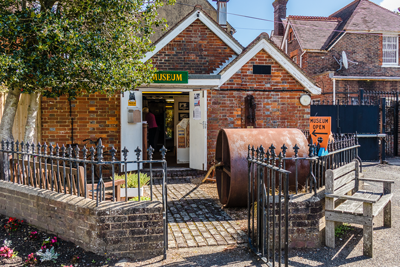
That website is local to me, small world.
Post your example flow with the issue.
[edit] The reason it is not working direct in ui-template is you have used
`{{payload}}`
while in ui-template it is
`{{msg.payload}}`
eg.
```auto
[{"id":"cd47d5fb.f6e3e8","type":"inject","z":"c74669a0.6a34f8","name":"","props":[{"p":"payload"},{"p":"topic","vt":"str"}],"repeat":"","crontab":"","once":false,"onceDelay":0.1,"topic":"","payload":"90","payloadType":"num","x":170,"y":2860,"wires":[["9c02d482.9d5358"]]},{"id":"9c02d482.9d5358","type":"ui_template","z":"c74669a0.6a34f8","group":"8b5cde76.edd58","name":"","order":5,"width":0,"height":0,"format":" \n","storeOutMessages":true,"fwdInMessages":true,"resendOnRefresh":true,"templateScope":"local","x":320,"y":2860,"wires":[[]]},{"id":"8b5cde76.edd58","type":"ui_group","name":"","tab":"8f03e639.85956","order":1,"disp":true,"width":"12","collapse":false},{"id":"8f03e639.85956","type":"ui_tab","name":"Home","icon":"dashboard","disabled":false,"hidden":false}]
```
---
**Author:**  [@paulalsmith1000](https://discourse.nodered.org/u/paulalsmith1000)\
**Post date:** [28 July 2021 17:19 UTC](https://discourse.nodered.org/t/displaying-html-page-on-ui-template/48889/6 "2021-07-28T17:19:43Z")
Thank you so much E1cid (I live in Hailsham btw) its worksssss!!
The key thing was changing the template payload to msg.template, but I have no idea why, could you possibly explain, I have trawled the internet. but can't find an explanation.
I actually used the below instead of the tab to achieve the same thing but in less lines:-
```auto
```
Many thanks again. BTW if you would consider giving lessons, I would be very interested.
Kind regards
Paul
---
**Author:**  [@E1cid](https://discourse.nodered.org/u/E1cid)\
**Post date:** [28 July 2021 18:00 UTC](https://discourse.nodered.org/t/displaying-html-page-on-ui-template/48889/7 "2021-07-28T18:00:52Z")
form the ui-template help
**Using `msg.template` :**
You can also define the template content via `msg.template` , so you can use external files for example.
Template will be reloaded on input if it has changed.
Code written in the Template field will be ignored when `msg.template` is present.
[edit] I'm from the Bourne, message me if you need further assistance, I'm not a IT expert but over the years have developed some knowledge.
---
**Author:**  [@system](https://discourse.nodered.org/u/system)\
**Post date:** [11 August 2021 18:01 UTC](https://discourse.nodered.org/t/displaying-html-page-on-ui-template/48889/8 "2021-08-11T18:01:34Z")
This topic was automatically closed 14 days after the last reply. New replies are no longer allowed.