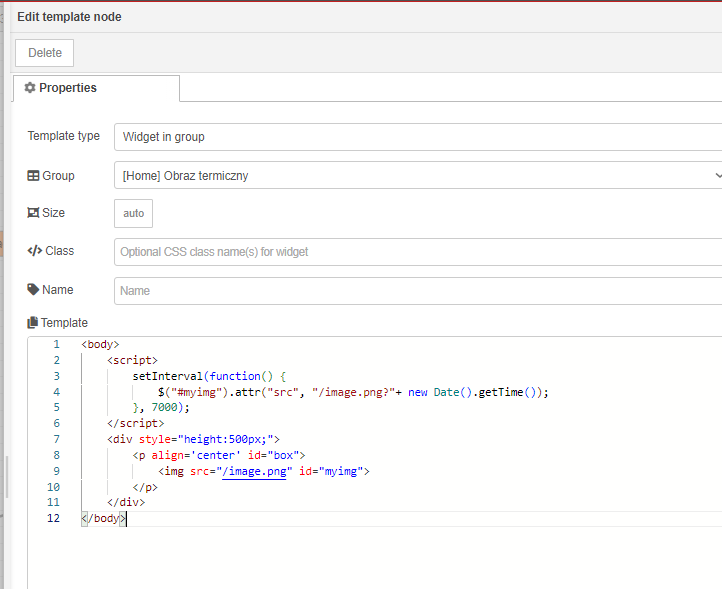
Here is the code in the template to upload an image.
Colin
29 October 2024 11:56
22
It appears that you keep changing what you are doing, which makes it difficult for us to help.
jbudd
29 October 2024 12:04
23
Well it was there on @grzegorzjanusz ' original screen capture
Yes, I'm sorry for this. I only try different ways to solve this problem. Right now I'm using this 2 nodes. "Display Image" is working, but I can't update an image which is my current goal. "Upload" is the new one I'm trying, but it can't read my image (but I can see this icon under the time).
The code for "Upload" is here.
not exactly same thing, but you may get some idea if you follow this thread.
so there are 3 possible conditions and depending on what condition is present at the moment you want 3 different images to show on dashboard.
can you just not use a switch node and direct show a defined image ? sorry I may be misreading your requirement.
[opnclose]
[{"id":"aa4055d2e729e0fa","type":"inject","z":"5a5b50a5e5a3beba","name":"","props":[{"p":"payload"},{"p":"topic","vt":"str"}],"repeat":"","crontab":"","once":false,"onceDelay":0.1,"topic":"","payload":"BUTTON-1","payloadType":"str"…
Finally I found a solution and now it is working as I wish. Thank you guys for your time and help. Regards