# Failed installing node-red-contrib-ble-sense
**URL:** https://discourse.nodered.org/t/failed-installing-node-red-contrib-ble-sense/74214
**Category:** General
**Created:** [26 January 2023 13:09 UTC](https://discourse.nodered.org/t/failed-installing-node-red-contrib-ble-sense/74214 "2023-01-26T13:09:37Z")
**Posts on this page:** 13
**Page:** 1
### Author:  [@Theo\_13](https://discourse.nodered.org/u/Theo_13)
#### Post date: [26 January 2023 13:09 UTC](https://discourse.nodered.org/t/failed-installing-node-red-contrib-ble-sense/74214/1 "2023-01-26T13:09:37Z")
Hello everybody,
It's my first post here !
I'm trying to install a new node on my computer when this error message appears "Failed to install : node-red-contrib-ble-sense".
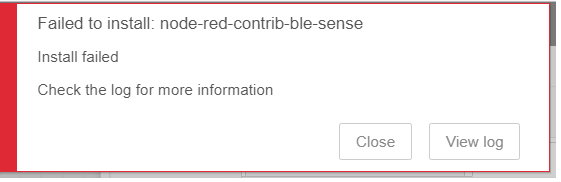
It is proposed to check the log, and I don't find solution to fix this problem.
Do you have any idea to fix this ?
Thank you.
You can see the log :
````auto
2023-01-26T13:05:58.330Z Install : node-red-contrib-ble-sense 0.0.12
2023-01-26T13:05:58.677Z npm.cmd install --no-audit --no-update-notifier --no-fund --save --save-prefix=~ --production --engine-strict node-red-contrib-ble-sense@0.0.12
2023-01-26T13:06:19.226Z [err] npm
2023-01-26T13:06:19.227Z [err] ERR! code
2023-01-26T13:06:19.227Z [err] 1
2023-01-26T13:06:19.227Z [err] npm
2023-01-26T13:06:19.227Z [err] ERR! path
2023-01-26T13:06:19.228Z [err] C:\Users\PC_SCADA_02\.node-red\node_modules\@abandonware\noble
2023-01-26T13:06:19.235Z [err] npm
2023-01-26T13:06:19.235Z [err] ERR! command failed
2023-01-26T13:06:19.235Z [err] npm ERR! command C:\windows\system32\cmd.exe /d /s /c node-gyp-build
2023-01-26T13:06:19.235Z [err] npm ERR!
2023-01-26T13:06:19.235Z [err] gyp info it worked if it ends with ok
2023-01-26T13:06:19.235Z [err] npm ERR! gyp info using node-gyp@8.3.0
2023-01-26T13:06:19.235Z [err] npm ERR! gyp info using node@16.13.1 | win32 | x64
2023-01-26T13:06:19.235Z [err] npm
2023-01-26T13:06:19.235Z [err] ERR! gyp info find Python using Python version 3.10.1 found at "C:\Users\PC_SCADA_02\AppData\Local\Programs\Python\Python310\python.exe"
2023-01-26T13:06:19.235Z [err] npm ERR! gyp ERR! find VS
2023-01-26T13:06:19.236Z [err] npm
2023-01-26T13:06:19.236Z [err] ERR! gyp ERR! find VS msvs_version not set from command line or npm config
2023-01-26T13:06:19.236Z [err] npm ERR! gyp ERR! find VS VCINSTALLDIR not set, not running in VS Command Prompt
2023-01-26T13:06:19.236Z [err] npm ERR! gyp ERR! find VS unknown version "undefined" found at "C:\Program Files\Microsoft Visual Studio\2022\Community"
2023-01-26T13:06:19.236Z [err] npm ERR! gyp ERR! find VS could not find a version of Visual Studio 2017 or newer to use
2023-01-26T13:06:19.236Z [err] npm ERR!
2023-01-26T13:06:19.236Z [err] gyp ERR! find VS looking for Visual Studio 2015
2023-01-26T13:06:19.236Z [err] npm
2023-01-26T13:06:19.237Z [err] ERR!
2023-01-26T13:06:19.237Z [err] gyp ERR! find VS - not found
2023-01-26T13:06:19.237Z [err] npm ERR! gyp ERR! find VS not looking for VS2013 as it is only supported up to Node.js 8
2023-01-26T13:06:19.237Z [err] npm ERR!
2023-01-26T13:06:19.237Z [err] gyp ERR! find VS
2023-01-26T13:06:19.237Z [err] npm ERR! gyp ERR! find VS **************************************************************
2023-01-26T13:06:19.237Z [err] npm
2023-01-26T13:06:19.237Z [err] ERR! gyp ERR! find VS You need to install the latest version of Visual Studio
2023-01-26T13:06:19.237Z [err] npm
2023-01-26T13:06:19.237Z [err] ERR! gyp ERR! find VS including the "Desktop development with C++" workload.
2023-01-26T13:06:19.237Z [err] npm ERR!
2023-01-26T13:06:19.237Z [err] gyp ERR! find VS For more information consult the documentation at:
2023-01-26T13:06:19.237Z [err] npm ERR! gyp ERR! find VS https://github.com/nodejs/node-gyp#on-windows
2023-01-26T13:06:19.237Z [err] npm ERR! gyp ERR! find VS **************************************************************
2023-01-26T13:06:19.237Z [err] npm
2023-01-26T13:06:19.237Z [err] ERR! gyp ERR! find VS
2023-01-26T13:06:19.237Z [err] npm ERR!
2023-01-26T13:06:19.237Z [err] gyp ERR! configure error
2023-01-26T13:06:19.237Z [err] npm ERR! gyp ERR! stack Error: Could not find any Visual Studio installation to use
2023-01-26T13:06:19.237Z [err] npm ERR! gyp ERR! stack at VisualStudioFinder.fail (C:\Program Files\nodejs\node_modules\npm\node_modules\node-gyp\lib\find-visualstudio.js:121:47)
2023-01-26T13:06:19.237Z [err] npm
2023-01-26T13:06:19.238Z [err] ERR! gyp ERR! stack at C:\Program Files\nodejs\node_modules\npm\node_modules\node-gyp\lib\find-visualstudio.js:74:16
2023-01-26T13:06:19.238Z [err] npm ERR!
2023-01-26T13:06:19.238Z [err] gyp ERR! stack at VisualStudioFinder.findVisualStudio2013 (C:\Program Files\nodejs\node_modules\npm\node_modules\node-gyp\lib\find-visualstudio.js:351:14)
2023-01-26T13:06:19.238Z [err] npm ERR! gyp ERR! stack at C:\Program Files\nodejs\node_modules\npm\node_modules\node-gyp\lib\find-visualstudio.js:70:14
2023-01-26T13:06:19.238Z [err] npm ERR! gyp ERR! stack at C:\Program Files\nodejs\node_modules\npm\node_modules\node-gyp\lib\find-visualstudio.js:372:16
2023-01-26T13:06:19.238Z [err] npm
2023-01-26T13:06:19.238Z [err] ERR! gyp ERR! stack at C:\Program Files\nodejs\node_modules\npm\node_modules\node-gyp\lib\util.js:54:7
2023-01-26T13:06:19.238Z [err] npm ERR!
2023-01-26T13:06:19.238Z [err] gyp ERR! stack at C:\Program Files\nodejs\node_modules\npm\node_modules\node-gyp\lib\util.js:33:16
2023-01-26T13:06:19.238Z [err] npm ERR! gyp ERR! stack at ChildProcess.exithandler (node:child_process:404:5)
2023-01-26T13:06:19.238Z [err] npm ERR! gyp ERR! stack at ChildProcess.emit (node:events:390:28)
2023-01-26T13:06:19.238Z [err] npm ERR!
2023-01-26T13:06:19.238Z [err] gyp ERR! stack at maybeClose (node:internal/child_process:1064:16)
2023-01-26T13:06:19.238Z [err] npm ERR! gyp ERR! System Windows_NT 10.0.19044
2023-01-26T13:06:19.238Z [err] npm
2023-01-26T13:06:19.238Z [err] ERR! gyp ERR! command "C:\\Program Files\\nodejs\\node.exe" "C:\\Program Files\\nodejs\\node_modules\\npm\\node_modules\\node-gyp\\bin\\node-gyp.js" "rebuild"
2023-01-26T13:06:19.238Z [err] npm ERR!
2023-01-26T13:06:19.238Z [err] gyp ERR! cwd C:\Users\PC_SCADA_02\.node-red\node_modules\@abandonware\noble
2023-01-26T13:06:19.238Z [err] npm ERR! gyp ERR! node -v v16.13.1
2023-01-26T13:06:19.238Z [err] npm
2023-01-26T13:06:19.238Z [err] ERR! gyp ERR! node-gyp -v v8.3.0
2023-01-26T13:06:19.238Z [err] npm ERR!
2023-01-26T13:06:19.238Z [err] gyp ERR! not ok
2023-01-26T13:06:19.281Z [err]
2023-01-26T13:06:19.281Z [err] npm ERR! A complete log of this run can be found in:
2023-01-26T13:06:19.281Z [err] npm ERR! C:\Users\PC_SCADA_02\AppData\Local\npm-cache\_logs\2023-01-26T13_06_19_241Z-debug.log
2023-01-26T13:06:19.309Z rc=1```
````
---
### Author:  [@marcus-j-davies](https://discourse.nodered.org/u/marcus-j-davies)
#### Post date: [26 January 2023 13:18 UTC](https://discourse.nodered.org/t/failed-installing-node-red-contrib-ble-sense/74214/2 "2023-01-26T13:18:02Z")
The logs give a pretty good clue.
You need some build tools for windows
This module uses `@abandonware/noble` which requires `windows-build-tools`
> **[GitHub - felixrieseberg/windows-build-tools: Install C++ Build Tools for...](https://github.com/felixrieseberg/windows-build-tools)**
>
> :package: Install C++ Build Tools for Windows using npm - GitHub - felixrieseberg/windows-build-tools: Install C++ Build Tools for Windows using npm
Installing VS Community will do the trick, as well as setting the VS version for `node-gyp`
`npm config set msvs_version 20##`
---
### Author:  [@Steve-Mcl](https://discourse.nodered.org/u/Steve-Mcl)
#### Post date: [26 January 2023 13:22 UTC](https://discourse.nodered.org/t/failed-installing-node-red-contrib-ble-sense/74214/3 "2023-01-26T13:22:42Z")
> [@marcus-j-davies](#):
>
> `windows-build-tools`
>
> [GitHub - felixrieseberg/windows-build-tools: 📦 Install C++ Build Tools for Windows using npm](https://github.com/felixrieseberg/windows-build-tools)
windows-build-tools is depreciated
> This repository has been archived by the owner before Nov 9, 2022. It is now read-only.
The OP should install nodejs 16LTS and tick the box to install necessary tools

---
### Author:  [@marcus-j-davies](https://discourse.nodered.org/u/marcus-j-davies)
#### Post date: [26 January 2023 13:26 UTC](https://discourse.nodered.org/t/failed-installing-node-red-contrib-ble-sense/74214/4 "2023-01-26T13:26:06Z")
Ah cool!
I did see it was archived. Good to know!
---
### Author:  [@Theo\_13](https://discourse.nodered.org/u/Theo_13)
#### Post date: [26 January 2023 14:18 UTC](https://discourse.nodered.org/t/failed-installing-node-red-contrib-ble-sense/74214/5 "2023-01-26T14:18:10Z")
Thanks' for your answer !
I've tried reinstalling nodejs with ticking the box and it no longer works...
Do you have any idea ?
Thank's again.
---
### Author:  [@marcus-j-davies](https://discourse.nodered.org/u/marcus-j-davies)
#### Post date: [26 January 2023 14:29 UTC](https://discourse.nodered.org/t/failed-installing-node-red-contrib-ble-sense/74214/6 "2023-01-26T14:29:06Z")
> [@Theo\_13](#):
>
> I've tried reinstalling nodejs with ticking the box and it no longer works...
Are you saying the installer didn't work, or now nothing works? or still where we were?
can you share any further logs, post the install?
---
### Author:  [@Theo\_13](https://discourse.nodered.org/u/Theo_13)
#### Post date: [26 January 2023 15:24 UTC](https://discourse.nodered.org/t/failed-installing-node-red-contrib-ble-sense/74214/7 "2023-01-26T15:24:44Z")
> [@marcus-j-davies](#):
>
> @abandonware/noble
No sorry, my english is not very good..
I wanted to say that I still cannot download the node.
I use this version for NodeJs

Yes, the log :
````auto
2023-01-26T14:01:20.489Z Install : node-red-contrib-ble-sense 0.0.12
2023-01-26T14:01:20.875Z npm.cmd install --no-audit --no-update-notifier --no-fund --save --save-prefix=~ --production --engine-strict node-red-contrib-ble-sense@0.0.12
2023-01-26T14:02:06.441Z [err] npm ERR! code 1
2023-01-26T14:02:06.442Z [err] npm ERR! path C:\Users\PC_SCADA_02\.node-red\node_modules\@abandonware\noble
2023-01-26T14:02:06.449Z [err] npm ERR! command failed
2023-01-26T14:02:06.449Z [err] npm ERR! command C:\windows\system32\cmd.exe /d /s /c node-gyp-build
2023-01-26T14:02:06.450Z [err] npm ERR!
2023-01-26T14:02:06.450Z [err] Les projets sont g�n�r�s individuellement dans cette solution. Pour activer la g�n�ration en parall�le, ajoutez le commutateur "-m".
2023-01-26T14:02:06.450Z [err] npm ERR! nothing.c
2023-01-26T14:02:06.450Z [err] npm ERR! win_delay_load_hook.cc
2023-01-26T14:02:06.450Z [err] npm ERR! nothing.vcxproj -> C:\Users\PC_SCADA_02\.node-red\node_modules\@abandonware\noble\build\Release\\nothing.lib
2023-01-26T14:02:06.450Z [err] npm
2023-01-26T14:02:06.450Z [err] ERR! noble_winrt.cc
2023-01-26T14:02:06.450Z [err] npm
2023-01-26T14:02:06.450Z [err] ERR! C:\Program Files (x86)\Windows Kits\10\Include\10.0.19041.0\cppwinrt\winrt\impl\Windows.Foundation.0.h(983,26): error C2039: 'wait_for' n'est pas membre de 'winrt::impl' [C:\Users\PC_SCADA_02\.node-red\node_modules\@abandonware\noble\build\lib\win\binding.vcxproj]
2023-01-26T14:02:06.450Z [err] npm ERR! C:\Program Files (x86)\Windows Kits\10\Include\10.0.19041.0\cppwinrt\winrt\impl\Windows.Foundation.0.h(103): message : voir la d�claration de 'winrt::impl' [C:\Users\PC_SCADA_02\.node-red\node_modules\@abandonware\noble\build\lib\win\binding.vcxproj]
2023-01-26T14:02:06.450Z [err] npm ERR!
2023-01-26T14:02:06.451Z [err] C:\Program Files (x86)\Windows Kits\10\Include\10.0.19041.0\cppwinrt\winrt\impl\Windows.Foundation.0.h(985): message : voir la r�f�rence � l'instanciation classe mod�le 'winrt::impl::consume_Windows_Foundation_IAsyncAction' en cours de compilation [C:\Users\PC_SCADA_02\.node-red\node_modules\@abandonware\noble\build\lib\win\binding.vcxproj]
2023-01-26T14:02:06.451Z [err] npm ERR! C:\Program Files (x86)\Windows Kits\10\Include\10.0.19041.0\cppwinrt\winrt\impl\Windows.Foundation.0.h(1004,26): error C2039: 'wait_for' n'est pas membre de 'winrt::impl' [C:\Users\PC_SCADA_02\.node-red\node_modules\@abandonware\noble\build\lib\win\binding.vcxproj]
2023-01-26T14:02:06.451Z [err] npm ERR! C:\Program Files (x86)\Windows Kits\10\Include\10.0.19041.0\cppwinrt\winrt\impl\Windows.Foundation.0.h(103): message : voir la d�claration de 'winrt::impl' [C:\Users\PC_SCADA_02\.node-red\node_modules\@abandonware\noble\build\lib\win\binding.vcxproj]
2023-01-26T14:02:06.451Z [err] npm ERR! C:\Program Files (x86)\Windows Kits\10\Include\10.0.19041.0\cppwinrt\winrt\impl\Windows.Foundation.0.h(1006): message : voir la r�f�rence � l'instanciation classe mod�le 'winrt::impl::consume_Windows_Foundation_IAsyncActionWithProgress' en cours de compilation [C:\Users\PC_SCADA_02\.node-red\node_modules\@abandonware\noble\build\lib\win\binding.vcxproj]
2023-01-26T14:02:06.451Z [err] npm ERR! C:\Program Files (x86)\Windows Kits\10\Include\10.0.19041.0\cppwinrt\winrt\impl\Windows.Foundation.0.h(1038,26): error C2039: 'wait_for' n'est pas membre de 'winrt::impl' [C:\Users\PC_SCADA_02\.node-red\node_modules\@abandonware\noble\build\lib\win\binding.vcxproj]
2023-01-26T14:02:06.451Z [err] npm ERR! C:\Program Files (x86)\Windows Kits\10\Include\10.0.19041.0\cppwinrt\winrt\impl\Windows.Foundation.0.h(103): message : voir la d�claration de 'winrt::impl' [C:\Users\PC_SCADA_02\.node-red\node_modules\@abandonware\noble\build\lib\win\binding.vcxproj]
2023-01-26T14:02:06.451Z [err] npm ERR! C:\Program Files (x86)\Windows Kits\10\Include\10.0.19041.0\cppwinrt\winrt\impl\Windows.Foundation.0.h(1040): message : voir la r�f�rence � l'instanciation classe mod�le 'winrt::impl::consume_Windows_Foundation_IAsyncOperationWithProgress' en cours de compilation [C:\Users\PC_SCADA_02\.node-red\node_modules\@abandonware\noble\build\lib\win\binding.vcxproj]
2023-01-26T14:02:06.451Z [err] npm ERR! C:\Program Files (x86)\Windows Kits\10\Include\10.0.19041.0\cppwinrt\winrt\impl\Windows.Foundation.0.h(1057,26): error C2039: 'wait_for' n'est pas membre de 'winrt::impl' [C:\Users\PC_SCADA_02\.node-red\node_modules\@abandonware\noble\build\lib\win\binding.vcxproj]
2023-01-26T14:02:06.451Z [err] npm ERR! C:\Program Files (x86)\Windows Kits\10\Include\10.0.19041.0\cppwinrt\winrt\impl\Windows.Foundation.0.h(103): message : voir la d�claration de 'winrt::impl' [C:\Users\PC_SCADA_02\.node-red\node_modules\@abandonware\noble\build\lib\win\binding.vcxproj]
2023-01-26T14:02:06.451Z [err] npm ERR! C:\Program Files (x86)\Windows Kits\10\Include\10.0.19041.0\cppwinrt\winrt\impl\Windows.Foundation.0.h(1059): message : voir la r�f�rence � l'instanciation classe mod�le 'winrt::impl::consume_Windows_Foundation_IAsyncOperation' en cours de compilation [C:\Users\PC_SCADA_02\.node-red\node_modules\@abandonware\noble\build\lib\win\binding.vcxproj]
2023-01-26T14:02:06.451Z [err] npm ERR! C:\Users\PC_SCADA_02\.node-red\node_modules\@abandonware\noble\lib\win\src\notify_map.h(31,54): error C2064: le terme ne correspond pas � une fonction qui prend 1 arguments [C:\Users\PC_SCADA_02\.node-red\node_modules\@abandonware\noble\build\lib\win\binding.vcxproj]
2023-01-26T14:02:06.451Z [err] npm ERR! C:\Users\PC_SCADA_02\.node-red\node_modules\@abandonware\noble\lib\win\src\notify_map.h(32,61): error C2064: le terme ne correspond pas � une fonction qui prend 1 arguments [C:\Users\PC_SCADA_02\.node-red\node_modules\@abandonware\noble\build\lib\win\binding.vcxproj]
2023-01-26T14:02:06.451Z [err] npm ERR! C:\Users\PC_SCADA_02\.node-red\node_modules\@abandonware\noble\lib\win\src\notify_map.h(33,1): error C3536: 'serviceHash'�: ne peut pas �tre utilis� avant d'avoir �t� initialis� [C:\Users\PC_SCADA_02\.node-red\node_modules\@abandonware\noble\build\lib\win\binding.vcxproj]
2023-01-26T14:02:06.451Z [err] npm
2023-01-26T14:02:06.451Z [err] ERR! C:\Users\PC_SCADA_02\.node-red\node_modules\@abandonware\noble\lib\win\src\notify_map.h(34,1): error C3536: 'characteristicHash'�: ne peut pas �tre utilis� avant d'avoir �t� initialis� [C:\Users\PC_SCADA_02\.node-red\node_modules\@abandonware\noble\build\lib\win\binding.vcxproj]
2023-01-26T14:02:06.451Z [err] npm ERR!
2023-01-26T14:02:06.451Z [err] gyp info it worked if it ends with ok
2023-01-26T14:02:06.451Z [err] npm ERR! gyp info using node-gyp@8.3.0
2023-01-26T14:02:06.451Z [err] npm ERR!
2023-01-26T14:02:06.451Z [err] gyp info using node@16.13.1 | win32 | x64
2023-01-26T14:02:06.451Z [err] npm ERR! gyp info find Python using Python version 3.11.0 found at "C:\Python311\python.exe"
2023-01-26T14:02:06.451Z [err] npm ERR!
2023-01-26T14:02:06.452Z [err] gyp info find VS using VS2019 (16.11.33214.272) found at:
2023-01-26T14:02:06.452Z [err] npm ERR! gyp info find VS "C:\Program Files (x86)\Microsoft Visual Studio\2019\BuildTools"
2023-01-26T14:02:06.452Z [err] npm
2023-01-26T14:02:06.452Z [err] ERR! gyp info find VS run with --verbose for detailed information
2023-01-26T14:02:06.452Z [err] npm ERR! gyp info spawn C:\Python311\python.exe
2023-01-26T14:02:06.452Z [err] npm
2023-01-26T14:02:06.452Z [err] ERR! gyp info spawn args [
2023-01-26T14:02:06.452Z [err] npm ERR! gyp info spawn args 'C:\\Program Files\\nodejs\\node_modules\\npm\\node_modules\\node-gyp\\gyp\\gyp_main.py',
2023-01-26T14:02:06.452Z [err] npm ERR! gyp info spawn args 'binding.gyp',
2023-01-26T14:02:06.452Z [err] npm ERR! gyp info spawn args '-f',
2023-01-26T14:02:06.452Z [err] npm ERR! gyp info spawn args 'msvs',
2023-01-26T14:02:06.452Z [err] npm
2023-01-26T14:02:06.452Z [err] ERR! gyp info spawn args '-I',
2023-01-26T14:02:06.452Z [err] npm ERR! gyp info spawn args 'C:\\Users\\PC_SCADA_02\\.node-red\\node_modules\\@abandonware\\noble\\build\\config.gypi',
2023-01-26T14:02:06.452Z [err] npm ERR! gyp info spawn args '-I',
2023-01-26T14:02:06.452Z [err] npm ERR! gyp info spawn args 'C:\\Program Files\\nodejs\\node_modules\\npm\\node_modules\\node-gyp\\addon.gypi',
2023-01-26T14:02:06.452Z [err] npm ERR! gyp info spawn args '-I',
2023-01-26T14:02:06.452Z [err] npm ERR!
2023-01-26T14:02:06.452Z [err] gyp info spawn args 'C:\\Users\\PC_SCADA_02\\AppData\\Local\\node-gyp\\Cache\\16.13.1\\include\\node\\common.gypi',
2023-01-26T14:02:06.452Z [err] npm ERR! gyp info spawn args '-Dlibrary=shared_library',
2023-01-26T14:02:06.452Z [err] npm
2023-01-26T14:02:06.452Z [err] ERR! gyp info spawn args '-Dvisibility=default',
2023-01-26T14:02:06.452Z [err] npm
2023-01-26T14:02:06.452Z [err] ERR! gyp info spawn args '-Dnode_root_dir=C:\\Users\\PC_SCADA_02\\AppData\\Local\\node-gyp\\Cache\\16.13.1',
2023-01-26T14:02:06.452Z [err] npm
2023-01-26T14:02:06.452Z [err] ERR! gyp info spawn args '-Dnode_gyp_dir=C:\\Program Files\\nodejs\\node_modules\\npm\\node_modules\\node-gyp',
2023-01-26T14:02:06.453Z [err] npm ERR!
2023-01-26T14:02:06.453Z [err] gyp info spawn args '-Dnode_lib_file=C:\\\\Users\\\\PC_SCADA_02\\\\AppData\\\\Local\\\\node-gyp\\\\Cache\\\\16.13.1\\\\<(target_arch)\\\\node.lib',
2023-01-26T14:02:06.453Z [err] npm
2023-01-26T14:02:06.453Z [err] ERR! gyp info spawn args '-Dmodule_root_dir=C:\\Users\\PC_SCADA_02\\.node-red\\node_modules\\@abandonware\\noble',
2023-01-26T14:02:06.453Z [err] npm ERR!
2023-01-26T14:02:06.453Z [err] gyp info spawn args '-Dnode_engine=v8',
2023-01-26T14:02:06.453Z [err] npm
2023-01-26T14:02:06.453Z [err] ERR! gyp info spawn args '--depth=.',
2023-01-26T14:02:06.453Z [err] npm
2023-01-26T14:02:06.453Z [err] ERR!
2023-01-26T14:02:06.453Z [err] gyp info spawn args '--no-parallel',
2023-01-26T14:02:06.453Z [err] npm
2023-01-26T14:02:06.453Z [err] ERR! gyp info spawn args '--generator-output',
2023-01-26T14:02:06.453Z [err] npm
2023-01-26T14:02:06.453Z [err] ERR! gyp info spawn args 'C:\\Users\\PC_SCADA_02\\.node-red\\node_modules\\@abandonware\\noble\\build',
2023-01-26T14:02:06.453Z [err] npm ERR! gyp info spawn args '-Goutput_dir=.'
2023-01-26T14:02:06.453Z [err] npm ERR!
2023-01-26T14:02:06.453Z [err] gyp info spawn args ]
2023-01-26T14:02:06.453Z [err] npm ERR!
2023-01-26T14:02:06.453Z [err] gyp info spawn C:\Program Files (x86)\Microsoft Visual Studio\2019\BuildTools\MSBuild\Current\Bin\MSBuild.exe
2023-01-26T14:02:06.453Z [err] npm
2023-01-26T14:02:06.453Z [err] ERR! gyp info spawn args [
2023-01-26T14:02:06.453Z [err] npm
2023-01-26T14:02:06.454Z [err] ERR! gyp info spawn args 'build/binding.sln',
2023-01-26T14:02:06.454Z [err] npm ERR!
2023-01-26T14:02:06.454Z [err] gyp info spawn args '/clp:Verbosity=minimal',
2023-01-26T14:02:06.454Z [err] npm ERR!
2023-01-26T14:02:06.454Z [err] gyp info spawn args '/nologo',
2023-01-26T14:02:06.454Z [err] npm
2023-01-26T14:02:06.454Z [err] ERR! gyp info spawn args '/p:Configuration=Release;Platform=x64'
2023-01-26T14:02:06.454Z [err] npm
2023-01-26T14:02:06.454Z [err] ERR! gyp info spawn args ]
2023-01-26T14:02:06.454Z [err] npm
2023-01-26T14:02:06.454Z [err] ERR! gyp ERR! build error
2023-01-26T14:02:06.454Z [err] npm
2023-01-26T14:02:06.454Z [err] ERR! gyp ERR! stack Error: `C:\Program Files (x86)\Microsoft Visual Studio\2019\BuildTools\MSBuild\Current\Bin\MSBuild.exe` failed with exit code: 1
2023-01-26T14:02:06.454Z [err] npm ERR!
2023-01-26T14:02:06.454Z [err] gyp ERR! stack at ChildProcess.onExit (C:\Program Files\nodejs\node_modules\npm\node_modules\node-gyp\lib\build.js:194:23)
2023-01-26T14:02:06.454Z [err] npm
2023-01-26T14:02:06.454Z [err] ERR! gyp ERR! stack at ChildProcess.emit (node:events:390:28)
2023-01-26T14:02:06.454Z [err] npm ERR!
2023-01-26T14:02:06.454Z [err] gyp ERR! stack at Process.ChildProcess._handle.onexit (node:internal/child_process:290:12)
2023-01-26T14:02:06.454Z [err] npm ERR!
2023-01-26T14:02:06.454Z [err] gyp ERR! System Windows_NT 10.0.19044
2023-01-26T14:02:06.454Z [err] npm ERR! gyp ERR! command "C:\\Program Files\\nodejs\\node.exe" "C:\\Program Files\\nodejs\\node_modules\\npm\\node_modules\\node-gyp\\bin\\node-gyp.js" "rebuild"
2023-01-26T14:02:06.454Z [err] npm ERR!
2023-01-26T14:02:06.454Z [err] gyp ERR! cwd C:\Users\PC_SCADA_02\.node-red\node_modules\@abandonware\noble
2023-01-26T14:02:06.454Z [err] npm ERR!
2023-01-26T14:02:06.454Z [err] gyp ERR! node -v v16.13.1
2023-01-26T14:02:06.454Z [err] npm ERR! gyp ERR! node-gyp -v v8.3.0
2023-01-26T14:02:06.454Z [err] npm
2023-01-26T14:02:06.455Z [err] ERR! gyp ERR! not ok
2023-01-26T14:02:06.488Z [err]
2023-01-26T14:02:06.488Z [err] npm ERR! A complete log of this run can be found in:
2023-01-26T14:02:06.488Z [err] npm ERR! C:\Users\PC_SCADA_02\AppData\Local\npm-cache\_logs\2023-01-26T14_02_06_457Z-debug.log
2023-01-26T14:02:06.523Z rc=1```
````
---
### Author:  [@marcus-j-davies](https://discourse.nodered.org/u/marcus-j-davies)
#### Post date: [26 January 2023 15:42 UTC](https://discourse.nodered.org/t/failed-installing-node-red-contrib-ble-sense/74214/8 "2023-01-26T15:42:41Z")
Ok...
It seems there are some issues with the latest build environments with a dependency this node uses
This issue reports the same that your logs do.
[Windows build fails with Visual Studio 2019 but succeeds with Visual Studio 2017 · Issue #277 · abandonware/noble (github.com)](https://github.com/abandonware/noble/issues/277)
I don't fully get the connection between the build tools and VS - but I know they are related somehow
I don't think it will help, but can you run the command below, in an elevated command prompt?
run the command under this directory -\> `C:\Users\PC_SCADA_02\.node-red`
`npm install @abandonware/noble@1.9.2`
IF it succeeds, run this next (again under `C:\Users\PC_SCADA_02\.node-red`)
`npm install node-red-contrib-ble-sense`
IF it succeeds, restart Node RED - and see if the node appears
---
### Author:  [@Theo\_13](https://discourse.nodered.org/u/Theo_13)
#### Post date: [26 January 2023 16:10 UTC](https://discourse.nodered.org/t/failed-installing-node-red-contrib-ble-sense/74214/9 "2023-01-26T16:10:30Z")
Ok, I've tried and it didn't works.
Look :
```auto
PS C:\Users\PC_SCADA_02\.node-red> npm install @abandonware/noble@1.9.2
npm ERR! code ETARGET
npm ERR! notarget No matching version found for @abandonware/noble@1.9.2.
npm ERR! notarget In most cases you or one of your dependencies are requesting
npm ERR! notarget a package version that doesn't exist.
npm ERR! A complete log of this run can be found in:
npm ERR! C:\Users\PC_SCADA_02\AppData\Local\npm-cache\_logs\2023-01-26T16_01_42_361Z-debug.log
PS C:\Users\PC_SCADA_02\.node-red>
```
Then I've tried without the versions (npm install @abandonware/noble) :
```auto
PS C:\Users\PC_SCADA_02\.node-red> npm install @abandonware/noble
npm ERR! code 1
npm ERR! path C:\Users\PC_SCADA_02\.node-red\node_modules\@abandonware\noble
npm ERR! command failed
npm ERR! command C:\windows\system32\cmd.exe /d /s /c node-gyp-build
npm ERR! Les projets sont g�n�r�s individuellement dans cette solution. Pour activer la g�n�ration en parall�le, ajoutez le commutateur "-m".
npm ERR! nothing.c
npm ERR! win_delay_load_hook.cc
npm ERR! nothing.vcxproj -> C:\Users\PC_SCADA_02\.node-red\node_modules\@abandonware\noble\build\Release\\nothing.lib
npm ERR! noble_winrt.cc
npm ERR! C:\Program Files (x86)\Windows Kits\10\Include\10.0.19041.0\cppwinrt\winrt\impl\Windows.Foundation.0.h(983,26): error C2039: 'wait_for' n'est pas membre de 'winrt::impl' [C:\Users\PC_SCADA_02\.node-red\node_modules\@abandonware\noble\build\lib\win\binding.vcxproj]
npm ERR! C:\Program Files (x86)\Windows Kits\10\Include\10.0.19041.0\cppwinrt\winrt\impl\Windows.Foundation.0.h(103): message : voir la d�claration de 'winrt::impl' [C:\Users\PC_SCADA_02\.node-red\node_modules\@abandonware\noble\build\lib\win\binding.vcxproj]
npm ERR! C:\Program Files (x86)\Windows Kits\10\Include\10.0.19041.0\cppwinrt\winrt\impl\Windows.Foundation.0.h(985): message : voir la r�f�rence � l'instanciation classe mod�le 'winrt::impl::consume_Windows_Foundation_IAsyncAction' en cours de compilation [C:\Users\PC_SCADA_02\.node-red\node_modules\@abandonware\noble\build\lib\win\binding.vcxproj]
npm ERR! C:\Program Files (x86)\Windows Kits\10\Include\10.0.19041.0\cppwinrt\winrt\impl\Windows.Foundation.0.h(1004,26): error C2039: 'wait_for' n'est pas membre de 'winrt::impl' [C:\Users\PC_SCADA_02\.node-red\node_modules\@abandonware\noble\build\lib\win\binding.vcxproj]
npm ERR! C:\Program Files (x86)\Windows Kits\10\Include\10.0.19041.0\cppwinrt\winrt\impl\Windows.Foundation.0.h(103): message : voir la d�claration de 'winrt::impl' [C:\Users\PC_SCADA_02\.node-red\node_modules\@abandonware\noble\build\lib\win\binding.vcxproj]
npm ERR! C:\Program Files (x86)\Windows Kits\10\Include\10.0.19041.0\cppwinrt\winrt\impl\Windows.Foundation.0.h(1006): message : voir la r�f�rence � l'instanciation classe mod�le 'winrt::impl::consume_Windows_Foundation_IAsyncActionWithProgress' en cours de compilation [C:\Users\PC_SCADA_02\.node-red\node_modules\@abandonware\noble\build\lib\win\binding.vcxproj]
npm ERR! C:\Program Files (x86)\Windows Kits\10\Include\10.0.19041.0\cppwinrt\winrt\impl\Windows.Foundation.0.h(1038,26): error C2039: 'wait_for' n'est pas membre de 'winrt::impl' [C:\Users\PC_SCADA_02\.node-red\node_modules\@abandonware\noble\build\lib\win\binding.vcxproj]
npm ERR! C:\Program Files (x86)\Windows Kits\10\Include\10.0.19041.0\cppwinrt\winrt\impl\Windows.Foundation.0.h(103): message : voir la d�claration de 'winrt::impl' [C:\Users\PC_SCADA_02\.node-red\node_modules\@abandonware\noble\build\lib\win\binding.vcxproj]
npm ERR! C:\Program Files (x86)\Windows Kits\10\Include\10.0.19041.0\cppwinrt\winrt\impl\Windows.Foundation.0.h(1040): message : voir la r�f�rence � l'instanciation classe mod�le 'winrt::impl::consume_Windows_Foundation_IAsyncOperationWithProgress' en cours de compilation [C:\Users\PC_SCADA_02\.node-red\node_modules\@abandonware\noble\build\lib\win\binding.vcxproj]
npm ERR! C:\Program Files (x86)\Windows Kits\10\Include\10.0.19041.0\cppwinrt\winrt\impl\Windows.Foundation.0.h(1057,26): error C2039: 'wait_for' n'est pas membre de 'winrt::impl' [C:\Users\PC_SCADA_02\.node-red\node_modules\@abandonware\noble\build\lib\win\binding.vcxproj]
npm ERR! C:\Program Files (x86)\Windows Kits\10\Include\10.0.19041.0\cppwinrt\winrt\impl\Windows.Foundation.0.h(103): message : voir la d�claration de 'winrt::impl' [C:\Users\PC_SCADA_02\.node-red\node_modules\@abandonware\noble\build\lib\win\binding.vcxproj]
npm ERR! C:\Program Files (x86)\Windows Kits\10\Include\10.0.19041.0\cppwinrt\winrt\impl\Windows.Foundation.0.h(1059): message : voir la r�f�rence � l'instanciation classe mod�le 'winrt::impl::consume_Windows_Foundation_IAsyncOperation' en cours de compilation [C:\Users\PC_SCADA_02\.node-red\node_modules\@abandonware\noble\build\lib\win\binding.vcxproj]
npm ERR! C:\Users\PC_SCADA_02\.node-red\node_modules\@abandonware\noble\lib\win\src\notify_map.h(31,54): error C2064: le terme ne correspond pas � une fonction qui prend 1 arguments [C:\Users\PC_SCADA_02\.node-red\node_modules\@abandonware\noble\build\lib\win\binding.vcxproj]
npm ERR! C:\Users\PC_SCADA_02\.node-red\node_modules\@abandonware\noble\lib\win\src\notify_map.h(32,61): error C2064: le terme ne correspond pas � une fonction qui prend 1 arguments [C:\Users\PC_SCADA_02\.node-red\node_modules\@abandonware\noble\build\lib\win\binding.vcxproj]
npm ERR! C:\Users\PC_SCADA_02\.node-red\node_modules\@abandonware\noble\lib\win\src\notify_map.h(33,1): error C3536: 'serviceHash'�: ne peut pas �tre utilis� avant d'avoir �t� initialis� [C:\Users\PC_SCADA_02\.node-red\node_modules\@abandonware\noble\build\lib\win\binding.vcxproj]
npm ERR! C:\Users\PC_SCADA_02\.node-red\node_modules\@abandonware\noble\lib\win\src\notify_map.h(34,1): error C3536: 'characteristicHash'�: ne peut pas �tre utilis� avant d'avoir �t� initialis� [C:\Users\PC_SCADA_02\.node-red\node_modules\@abandonware\noble\build\lib\win\binding.vcxproj]
npm ERR! gyp info it worked if it ends with ok
npm ERR! gyp info using node-gyp@8.3.0
npm ERR! gyp info using node@16.13.1 | win32 | x64
npm ERR! gyp info find Python using Python version 3.11.0 found at "C:\Python311\python.exe"
npm ERR! gyp info find VS using VS2019 (16.11.33214.272) found at:
npm ERR! gyp info find VS "C:\Program Files (x86)\Microsoft Visual Studio\2019\BuildTools"
npm ERR! gyp info find VS run with --verbose for detailed information
npm ERR! gyp info spawn C:\Python311\python.exe
npm ERR! gyp info spawn args [
npm ERR! gyp info spawn args 'C:\\Program Files\\nodejs\\node_modules\\npm\\node_modules\\node-gyp\\gyp\\gyp_main.py',
npm ERR! gyp info spawn args 'binding.gyp',
npm ERR! gyp info spawn args '-f',
npm ERR! gyp info spawn args 'msvs',
npm ERR! gyp info spawn args '-I',
npm ERR! gyp info spawn args 'C:\\Users\\PC_SCADA_02\\.node-red\\node_modules\\@abandonware\\noble\\build\\config.gypi',
npm ERR! gyp info spawn args '-I',
npm ERR! gyp info spawn args 'C:\\Program Files\\nodejs\\node_modules\\npm\\node_modules\\node-gyp\\addon.gypi',
npm ERR! gyp info spawn args '-I',
npm ERR! gyp info spawn args 'C:\\Users\\PC_SCADA_02\\AppData\\Local\\node-gyp\\Cache\\16.13.1\\include\\node\\common.gypi',
npm ERR! gyp info spawn args '-Dlibrary=shared_library',
npm ERR! gyp info spawn args '-Dvisibility=default',
npm ERR! gyp info spawn args '-Dnode_root_dir=C:\\Users\\PC_SCADA_02\\AppData\\Local\\node-gyp\\Cache\\16.13.1',
npm ERR! gyp info spawn args '-Dnode_gyp_dir=C:\\Program Files\\nodejs\\node_modules\\npm\\node_modules\\node-gyp',
npm ERR! gyp info spawn args '-Dnode_lib_file=C:\\\\Users\\\\PC_SCADA_02\\\\AppData\\\\Local\\\\node-gyp\\\\Cache\\\\16.13.1\\\\<(target_arch)\\\\node.lib',
npm ERR! gyp info spawn args '-Dmodule_root_dir=C:\\Users\\PC_SCADA_02\\.node-red\\node_modules\\@abandonware\\noble',
npm ERR! gyp info spawn args '-Dnode_engine=v8',
npm ERR! gyp info spawn args '--depth=.',
npm ERR! gyp info spawn args '--no-parallel',
npm ERR! gyp info spawn args '--generator-output',
npm ERR! gyp info spawn args 'C:\\Users\\PC_SCADA_02\\.node-red\\node_modules\\@abandonware\\noble\\build',
npm ERR! gyp info spawn args '-Goutput_dir=.'
npm ERR! gyp info spawn args ]
npm ERR! gyp info spawn C:\Program Files (x86)\Microsoft Visual Studio\2019\BuildTools\MSBuild\Current\Bin\MSBuild.exe
npm ERR! gyp info spawn args [
npm ERR! gyp info spawn args 'build/binding.sln',
npm ERR! gyp info spawn args '/clp:Verbosity=minimal',
npm ERR! gyp info spawn args '/nologo',
npm ERR! gyp info spawn args '/p:Configuration=Release;Platform=x64'
npm ERR! gyp info spawn args ]
npm ERR! gyp ERR! build error
npm ERR! gyp ERR! stack Error: `C:\Program Files (x86)\Microsoft Visual Studio\2019\BuildTools\MSBuild\Current\Bin\MSBuild.exe` failed with exit code: 1
npm ERR! gyp ERR! stack at ChildProcess.onExit (C:\Program Files\nodejs\node_modules\npm\node_modules\node-gyp\lib\build.js:194:23)
npm ERR! gyp ERR! stack at ChildProcess.emit (node:events:390:28)
npm ERR! gyp ERR! stack at Process.ChildProcess._handle.onexit (node:internal/child_process:290:12)
npm ERR! gyp ERR! System Windows_NT 10.0.19044
npm ERR! gyp ERR! command "C:\\Program Files\\nodejs\\node.exe" "C:\\Program Files\\nodejs\\node_modules\\npm\\node_modules\\node-gyp\\bin\\node-gyp.js" "rebuild"
npm ERR! gyp ERR! cwd C:\Users\PC_SCADA_02\.node-red\node_modules\@abandonware\noble
npm ERR! gyp ERR! node -v v16.13.1
npm ERR! gyp ERR! node-gyp -v v8.3.0
npm ERR! gyp ERR! not ok
npm ERR! A complete log of this run can be found in:
npm ERR! C:\Users\PC_SCADA_02\AppData\Local\npm-cache\_logs\2023-01-26T16_08_19_355Z-debug.log
```
---
### Author:  [@marcus-j-davies](https://discourse.nodered.org/u/marcus-j-davies)
#### Post date: [26 January 2023 16:14 UTC](https://discourse.nodered.org/t/failed-installing-node-red-contrib-ble-sense/74214/10 "2023-01-26T16:14:41Z")
Oh, ok - i thought was a range.
Try `npm install @abandonware/noble@1.9.2-15`
---
### Author:  [@Theo\_13](https://discourse.nodered.org/u/Theo_13)
#### Post date: [26 January 2023 16:33 UTC](https://discourse.nodered.org/t/failed-installing-node-red-contrib-ble-sense/74214/11 "2023-01-26T16:33:36Z")
It works !!!
Thank you so much.
You are a genius 😉
---
### Author:  [@marcus-j-davies](https://discourse.nodered.org/u/marcus-j-davies)
#### Post date: [26 January 2023 16:41 UTC](https://discourse.nodered.org/t/failed-installing-node-red-contrib-ble-sense/74214/12 "2023-01-26T16:41:08Z")
Awesome!
So this is what we can take from it:
The package uses the noble ble driver (and allows all versions of \>= 1.9.2-15)
But, whatever the latest version is, it has become a problem for the latest build tools.
NPM will, by default install whatever the latest version is, providing its in the range that is needed
So we instead, installed the min supported version of noble - that hopefully does not have the problem, that the latest version does.
---
### Author:  [@system](https://discourse.nodered.org/u/system)
#### Post date: [9 February 2023 16:41 UTC](https://discourse.nodered.org/t/failed-installing-node-red-contrib-ble-sense/74214/13 "2023-02-09T16:41:35Z")
This topic was automatically closed 14 days after the last reply. New replies are no longer allowed.