# Where is a list of the Dashboard Icons?
**URL:** https://discourse.nodered.org/t/where-is-a-list-of-the-dashboard-icons/2219
**Category:** FAQs
**Created:** [11 August 2018 04:26 UTC](https://discourse.nodered.org/t/where-is-a-list-of-the-dashboard-icons/2219 "2018-08-11T04:26:43Z")
**Posts on this page:** 17
**Page:** 1
### Author:  [@Trying\_to\_learn](https://discourse.nodered.org/u/Trying_to_learn)
#### Post date: [11 August 2018 04:26 UTC](https://discourse.nodered.org/t/where-is-a-list-of-the-dashboard-icons/2219/1 "2018-08-11T04:26:43Z")
I am wanting to use the "icons" on some of my dashboards.
Searching I get this:
[From this link](https://diyprojects.io/node-red-module-dashboard-gui/#.W25h7BgRWMA)
The most well-known are Awesome ([http://fontawesome.io/icons/](http://fontawesome.io/icons/)). The newer versions are not supported (4.7 and 5), but there are many others! To use an Awesome font, add fa – in front of the name of the icon. For example **fa-fire**.
Fantastic.
The picture on that page doesn't get down to the letter F.
It doesn't even complete B.
So where is the list of the names of these icons?
I have SOME of them installed - don't as me their names - but one is on a dashboard.
So it is somewhere on the machine.
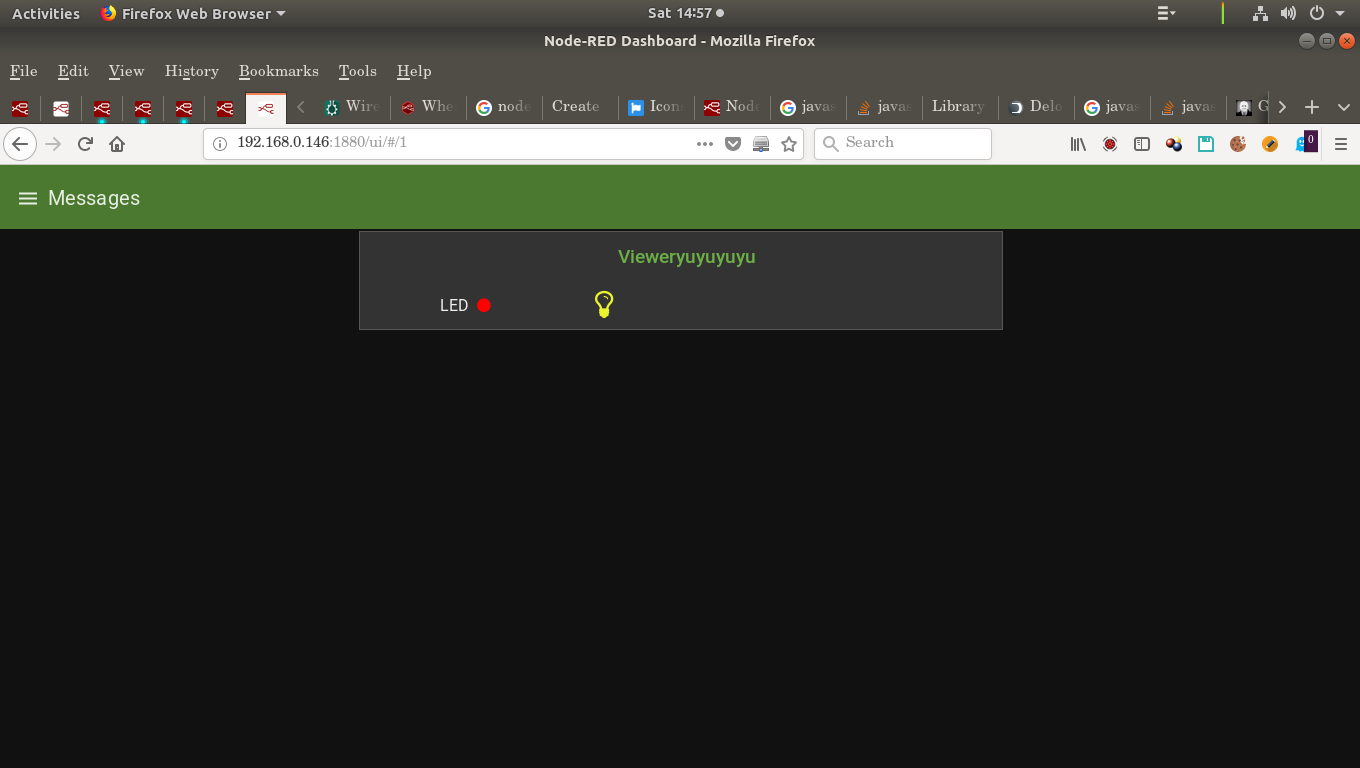
If I go into the node I see:
```auto
```
Searching for it yields:
```auto
me@me-desktop:~/.node-red$ pwd
/home/me/.node-red
me@me-desktop:~/.node-red$ lr | grep lightbulb
----==== Recursive list starts here ====----
me@me-desktop:~/.node-red$
```
So it ain't in the .node-red directory.
---
### Author:  [@dceejay](https://discourse.nodered.org/u/dceejay)
#### Post date: [11 August 2018 06:31 UTC](https://discourse.nodered.org/t/where-is-a-list-of-the-dashboard-icons/2219/2 "2018-08-11T06:31:20Z")
Fa-icons 4.7 is supported.
[https://fontawesome.com/v4.7.0/icons/](https://fontawesome.com/v4.7.0/icons/)
---
### Author:  [@Trying\_to\_learn](https://discourse.nodered.org/u/Trying_to_learn)
#### Post date: [11 August 2018 06:58 UTC](https://discourse.nodered.org/t/where-is-a-list-of-the-dashboard-icons/2219/3 "2018-08-11T06:58:05Z")
Ok, thanks.
B-u-t...
Does this mean that:
```auto
```
The icon is NOT on my machine and is downloaded?
---
### Author:  [@dceejay](https://discourse.nodered.org/u/dceejay)
#### Post date: [11 August 2018 07:12 UTC](https://discourse.nodered.org/t/where-is-a-list-of-the-dashboard-icons/2219/4 "2018-08-11T07:12:02Z")
No. Its already built into dashboard and available for use.
---
### Author:  [@Trying\_to\_learn](https://discourse.nodered.org/u/Trying_to_learn)
#### Post date: [11 August 2018 07:14 UTC](https://discourse.nodered.org/t/where-is-a-list-of-the-dashboard-icons/2219/5 "2018-08-11T07:14:58Z")
Thanks, so I have to get the list of names from the site you supplied?
I am odds in that if they are "built into the dashboard" - how does anyone get the names of what they are?
I got "lightbulb" because it was in a flow I got somewhere. so it "magically" worked.
Is that clearer for the problem of their names?
---
### Author:  [@dceejay](https://discourse.nodered.org/u/dceejay)
#### Post date: [11 August 2018 07:26 UTC](https://discourse.nodered.org/t/where-is-a-list-of-the-dashboard-icons/2219/6 "2018-08-11T07:26:28Z")
I hear you. Though the info panel for both the button and switch widgets do have links
---
### Author:  [@Trying\_to\_learn](https://discourse.nodered.org/u/Trying_to_learn)
#### Post date: [11 August 2018 07:28 UTC](https://discourse.nodered.org/t/where-is-a-list-of-the-dashboard-icons/2219/7 "2018-08-11T07:28:24Z")
So basically I have to bookmark [this link](https://fontawesome.com/v4.7.0/icons/) and get names from there as needed.
Ok.
I can handle that.
---
### Author:  [@dceejay](https://discourse.nodered.org/u/dceejay)
#### Post date: [11 August 2018 07:29 UTC](https://discourse.nodered.org/t/where-is-a-list-of-the-dashboard-icons/2219/8 "2018-08-11T07:29:29Z")
Yes, that is correct.
---
### Author:  [@Salan54](https://discourse.nodered.org/u/Salan54)
#### Post date: [19 September 2018 12:32 UTC](https://discourse.nodered.org/t/where-is-a-list-of-the-dashboard-icons/2219/9 "2018-09-19T12:32:37Z")
Sorry to ask but I'm really a newbie on node-red matter...
I try to use awesome-fonts in a text node to display a door status : open or closed, using the door-open and door-closed [icon](https://fontawesome.com/icons/door-open?style=solid). I use the following code as Value Format :
```auto
{{msg.payload}}
```
But, I don't get the `door-open` icon... I tried with `fa` instead of `fas`, to no avail. What is wrong with my code ? I also tried with `fa-camera-retro`, like the examples on Awesome site... and it worked.
Thanks for your help
---
### Author:  [@Trying\_to\_learn](https://discourse.nodered.org/u/Trying_to_learn)
#### Post date: [19 September 2018 12:37 UTC](https://discourse.nodered.org/t/where-is-a-list-of-the-dashboard-icons/2219/10 "2018-09-19T12:37:31Z")
> [@Salan54](#):
>
> \ \\{{msg.payload}} \
I think the problem is that you are not really telling it to USE the icon.
Though you have named it, with the class=....... It doesn't work like that.
This is how I did something similar.
I will only post what I know, and I hope you can see how it all works.
```auto
msg = {payload: ''};
```
That is part of a build/test flow (included if you want to look)
Basically you could leave out the msg.payload part.
It also depends on which node you put it into.
Hope that helped a bit.
```auto
[{"id":"d4f6c7de.5c3028","type":"inject","z":"9fb43887.43d798","name":"","topic":"","payload":"4","payloadType":"num","repeat":"","crontab":"","once":false,"onceDelay":0.1,"x":230,"y":400,"wires":[["45768493.f44edc"]]},{"id":"45768493.f44edc","type":"function","z":"9fb43887.43d798","name":"","func":"msg = {payload: ''};\nreturn msg;\n","outputs":1,"noerr":0,"x":370,"y":400,"wires":[["61084fb.faf18b"]]},{"id":"61084fb.faf18b","type":"ui_text","z":"9fb43887.43d798","group":"c9674ee2.6b7ff","order":8,"width":"2","height":"1","name":"94","label":"Blah","format":"{{msg.payload}}","layout":"row-center","x":580,"y":160,"wires":[]},{"id":"c9674ee2.6b7ff","type":"ui_group","z":"","name":"Group2","tab":"e68d55fd.06eaa8","order":2,"disp":true,"width":"6","collapse":false},{"id":"e68d55fd.06eaa8","type":"ui_tab","z":"","name":"TEMP","icon":"dashboard","order":25}]
```
---
### Author:  [@ukmoose](https://discourse.nodered.org/u/ukmoose)
#### Post date: [19 September 2018 12:41 UTC](https://discourse.nodered.org/t/where-is-a-list-of-the-dashboard-icons/2219/11 "2018-09-19T12:41:26Z")
I can't see door-open in the list of [https://fontawesome.com/v4.7.0/icons/](https://fontawesome.com/v4.7.0/icons/) are you sure its a v4.7 icon?
---
### Author:  [@Salan54](https://discourse.nodered.org/u/Salan54)
#### Post date: [19 September 2018 13:46 UTC](https://discourse.nodered.org/t/where-is-a-list-of-the-dashboard-icons/2219/12 "2018-09-19T13:46:42Z")
No, you are right. I found them here : [https://fontawesome.com/icons?d=gallery&m=free](https://fontawesome.com/icons?d=gallery&m=free). I thought it was all Awesome icons available to red-note users... but it seems these are v5.0 cions. And I can't see the door's icons in v4.7.0. I will try to find a good-looking door icon candidate in the other available fonts.
Thanks for your help
---
### Author:  [@Salan54](https://discourse.nodered.org/u/Salan54)
#### Post date: [19 September 2018 13:58 UTC](https://discourse.nodered.org/t/where-is-a-list-of-the-dashboard-icons/2219/13 "2018-09-19T13:58:03Z")
Thanks for your help.
Yes, I know that I did not use msg.payload correctly. In a first time, I just wanted to display a 'door' icon on the dashboard. But I did not success as, @ukmoose pointed out, the door icons are not part of the Awesome v4.7.0 set. I will try to find in the Material Design set...
Thanks again
---
### Author:  [@swisscore](https://discourse.nodered.org/u/swisscore)
#### Post date: [10 January 2019 07:41 UTC](https://discourse.nodered.org/t/where-is-a-list-of-the-dashboard-icons/2219/14 "2019-01-10T07:41:15Z")
not possible with the font awesome 5, juste v4.7, v5 is more complicate to implement (I just read it some minutes ago)
---
### Author:  [@votecoffee](https://discourse.nodered.org/u/votecoffee)
#### Post date: [13 November 2020 16:36 UTC](https://discourse.nodered.org/t/where-is-a-list-of-the-dashboard-icons/2219/15 "2020-11-13T16:36:21Z")
Note that you can also use icons from these locations:
>
> **[Angular Material Icons](https://klarsys.github.io/angular-material-icons/)**
---
### Author:  [@votecoffee](https://discourse.nodered.org/u/votecoffee)
#### Post date: [13 November 2020 16:37 UTC](https://discourse.nodered.org/t/where-is-a-list-of-the-dashboard-icons/2219/16 "2020-11-13T16:37:01Z")
This shows a quick view of the icons available:
> **[Font Awesome Cheatsheet](https://fontawesome.com/v4.7.0/cheatsheet/)**
---
### Author:  [@votecoffee](https://discourse.nodered.org/u/votecoffee)
#### Post date: [13 November 2020 16:37 UTC](https://discourse.nodered.org/t/where-is-a-list-of-the-dashboard-icons/2219/17 "2020-11-13T16:37:51Z")
The **Icon** field can be either a Material Design icon _(e.g. 'check', 'close')_ or a Font Awesome icon _(e.g. 'fa-fire')_ , or a Weather icon _(e.g. 'wi-wu-sunny')_ .
You can use the full set of google material icons if you add 'mi-' to the icon name. e.g. 'mi-videogame\_asset'.