As it has been nearly a year since I purchased my Reolink Video Doorbell I thought I'd write an update on the 'el cheapo' server I created to capture and store videos. I purchased the Reolink D340W as this model has FTP capability and supports webhooks and as such does not need a monthly subscription unlike other product offerings.
Although my doorbell came with a 64GB SD card I found it only lasted for a month before the older videos were overwritten - hence the reason to start of my Doorbell Server project.
The first thing I did was set-up Reolink's FTP credentials...
Take note of the IP address (192.168.1.107) and the remote directory (/doorbell).
Next step was using one of the inexpensive (£10) Wyse-3040 boxes I bought on ebay to become the server. As the Wyse-3040 has limited storage 8GB of flash and 2GB of RAM - I installed Diet-Pi as this is a lightweight operating system. Next step was to set-up FTP on the Wyse box (which has a fixed IP address of 192.168.1.107) to match the doorbell settings. At the same time I slapped a 128GB SSD onto the back of the Wyse box and mounted it onto the filing system.
I installed NGINX as the web server as again it is fairly lightweight offering.
The last step was installing Single File PHP Gallery (a single PHP file) into Nginx's server-root.
Single File PHP Gallery is a fantastic piece of software that will auto-magically catalog and create thumbnails for any image files that appear in the designated folder. The Doorbell's FTP facility targets YYYY-MM-DD as the destination which means folders are created automatically.
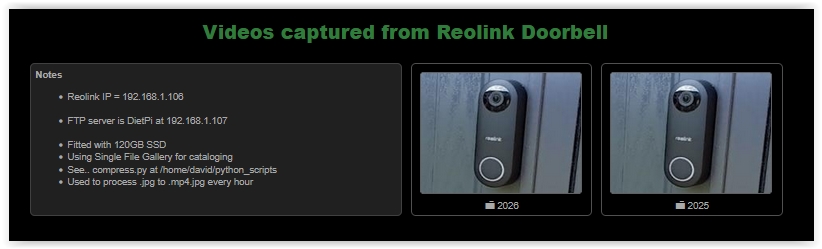
Here are some views of what I've done with Single File PHP Gallery's dashboard...
As you can see the structure is very hierarchical so I can drill-down by year, month and then day.
One thing I did was to make the visual presentation better was to write a Python script, that runs every hour, to scrape a frame off of the middle of each captured video and create a thumbnail that matched the video's filename (as SFPG doesn't do this for videos only image files).
Here's a link to a previous thread on the Reolink Doorbell product.
Just to add some node red content -
I've built a similar system - but entirely in Node-RED.
Event Capture:
Different webhooks generate various event types, which I log in a variable. Each event also captures a matching still frame saved as a JPEG. The most recent stills are displayed for each event type.
Filtering Interface:
I can select one or more event types and specify a time range to view filtered events in the middle section of my dashboard.
Image Viewing:
Clicking on any listed item opens a pop-up window displaying the full-size image, complete with navigation controls to move forward or backward through the filtered event list.
Clicking on any of the recent images also triggers the event list for that particular event, with a 7 day range and brings up the popup.
Video Playback:
When viewing a specific event image, I can click the Play button to retrieve a 30-second video clip starting a few seconds before the event time. This works by:
Making an API call to my Hikvision DVR (which continuously records the stream)
Retrieving the stream path
Using mp4frag nodes to display the video directly in Node-RED
Storage Management:
To prevent disk space issues, I can delete filtered event lists. For example, I can remove all events older than 60 days with a single operation.
Dave, I think we bought our Doorbells at about the same time. Your solution looks good.
I do have mine connected to ReoLink, but I ended up going in a different direction and started using a RPi 4 with Frigate, which is loaded using Docker. Frigate is a NVR for several Cameras attached along with a 1TB drive and works well. Can’t complain about the performance, but as the number of recordings fill the drive, I have to do a cleardown about once a month, but there are two other cameras on the system as well. Frigate is also very flexible when setting up triggers and sending messages via MQTT and then of course, Node-RED.
@Sean-McG Hmmm, above my paygrade, maybe after I have figured out some other stuff with NR!
As far as I know, SFG has always created thumbnails for any images it finds in a directory, so when you click a thumbnail it opens the main image (jpg or png). What it doesn't do is create thumbnails for mp4 or other types of files like PDF. However you can 'trick' SFG into associating a thumbnail to a non-image file. So for example, if you had a video named fred_bloggs.mp4 you could create a thumbnail named fred_bloggs.mp4.jpg and that would get associated with the video. What my Python script does is automatically perform the creation of the thumbnail and association.
I've used this technique successfully to assign thumbnails to PDF files, Python files, Text files as well as MP4